7 On-Page SEO Fixes You Can Make in an Afternoon (No Developer Needed)
An on-page SEO checklist of 7 quick SEO fixes any CMS user can make today, no developer or paid tool required. Show up in Google and AI answers.

In The Martian, Mark Watney’s plan for staying alive is not clever. It is potatoes, duct tape, and doing the next obvious job with what is already in the room. Nobody is coming to do it for him.
Most people assume that improving their site’s visibility requires a developer, a specialist tool, or an agency retainer. It doesn’t. The highest-impact on-page changes are sitting inside your CMS editor right now, waiting for someone to make them, without hiring writers or agencies to do it.
An on-page SEO checklist is a set of edits you make directly to your existing pages to help search engines and AI tools understand, rank, and cite your content. Here are 7 fixes any CMS user can complete in a single afternoon, with no code and no paid tools, so you can show up in Google and AI answers starting today.
If you’re running a founder-led business or working with a lean marketing team, doing SEO without an agency might sound risky. It isn’t. These 7 fixes are where I’d start.
Fix 1: Rewrite Your Title Tag
Your title tag is the clickable blue headline that appears in Google search results. It’s the first signal a search engine uses to understand what your page is about, and it’s the single highest-leverage on-page edit you can make.
The rule of thumb: keep it between 50 and 60 characters. Shorter, and you’re leaving relevance signals on the table. Longer, and Google truncates it mid-sentence. Front-load your target keyword near the beginning of the title so it stays visible even if the display cuts off.
Where to find it depends on your CMS. Webflow, Squarespace, and Wix expose a dedicated title tag field in page settings. WordPress is different: without an SEO plugin like Yoast or Rank Math, there’s no separate title tag field. The post title becomes the title tag with your site name appended. If your WordPress site already runs one of those plugins, the field is right there in the page editor.
A well-written title tag is the first step toward content that ranks. Knowing how to fix your title tag for SEO is worth the 3 minutes it takes. If you’ve done all the basics and pages still aren’t moving, it may be worth reading about why your blog posts are not ranking to rule out deeper issues.
Fix 2: Write a Meta Description That Gets the Click
Your meta description is the short summary that appears below your title tag in search results. Here’s what most people get wrong: it doesn’t directly affect where your page ranks. It affects how many people click through to your page from the position you already hold.
Following meta description SEO best practices in 2026 means writing the description as if you’re answering the searcher’s question in one sentence, then adding a reason to click. Keep it between 150 and 160 characters. Match the search intent of the query. Include a specific benefit, a number, or a direct answer.
A practical prompt that helps: “What does this page help the reader do, and why should they choose it over the 9 other results?”
CMS access matters here too. Webflow, Squarespace, and Wix expose the meta description field natively in page settings. WordPress does not have this field without an SEO plugin. If your site runs Yoast or Rank Math, the field appears in the page editor. Without one of those plugins, this particular fix isn’t available through the native WordPress editor. The other 6 fixes still apply.
A strong meta description signals that the page delivers practical content, not filler.
Fix 3: Check Your H1 and Tidy Your Heading Structure
The H1 tag is the main headline on your page, the large text the reader sees first. Understanding what an H1 tag is and why it matters for SEO comes down to clarity: it tells both readers and search engines what the page is about. The convention is 1 H1 per page, and your primary keyword should be in it. Google has confirmed that multiple H1s don’t harm ranking, but sticking to 1 keeps the page’s primary topic unambiguous.
Below the H1, your heading hierarchy needs to follow a logical order: H2 for main sections, H3 for subsections within those sections. Skipping levels, like jumping from H1 straight to H3, breaks the structure.
This matters beyond Google. AI search tools like ChatGPT, Perplexity, and Google AI Overviews parse heading structure to extract relevant passages for their answers. A page without a clean H1-to-H2-to-H3 structure is harder for these systems to cite. A clear heading hierarchy improves your Search and AI visibility at the same time.
How to check: open your page editor, select each heading in turn, and confirm the heading level selector in the toolbar shows the correct level. These are SEO changes you can make without a developer in under 5 minutes.
Fix 4: Add Alt Text to Every Image
Alt text is the short description you add to an image in your CMS. It serves 2 purposes: it reads aloud for visually impaired users using screen readers, and it tells search engines what the image depicts. Both contribute to how your page performs. Learning how to write alt text for images for SEO is simpler than most people think.
The formula: describe what’s in the image, include a relevant keyword where it fits naturally, and keep it under 125 characters. Don’t start with “image of” or “photo of.”
In every major CMS, the alt text field appears when you click on an image in the editor. It’s labelled “Alt text,” “Image description,” or something similar. No code required.
A quick audit: open each page, click every image, and check whether the alt text field is filled in. Blank fields are easy wins, and filling them in is one of the fastest routes to real-world results for anyone new to on-page SEO.
Fix 5: Add 2 or 3 Internal Links
An internal link is a link from one page on your site to another page on your site. The SEO benefits of internal linking are straightforward: adding 2 to 3 relevant internal links helps search engines discover and index the linked pages, passes authority between them, and signals topical relationships.
For AI search, internal links help systems map the relationship between your pages and understand the depth of your site’s coverage on a topic. A well-linked page gives those systems more context to work with.
The method: read the page, identify 2 or 3 terms or concepts you’ve written about in more depth elsewhere on your site, and link those phrases to the relevant page. Use descriptive anchor text that reflects what the linked page covers. For example, if you’ve written about improving your SEO without an agency, link that phrase where it fits naturally. If a section touches on AI visibility, link to your piece on showing up in AI answers.
One constraint: link to pages that are genuinely relevant to the reader at that moment. Random links inserted for SEO value damage trust and readability.
Fix 6: Add a Direct-Answer Paragraph for AI Search
A direct-answer paragraph is a 40 to 80 word block near the top of a page that directly answers the main question the page targets. It’s the simplest step toward AI-ready content, and it’s how to show up in AI search answers without touching a line of code.
AI search engines like ChatGPT, Perplexity, and Google AI Overviews prefer content that provides a clear, self-contained answer near the top of the page. If your page opens with 3 paragraphs of context before getting to the point, you’re making it harder for these systems to cite you.
Here’s how to write one: state the main answer in the first sentence, add 1 to 2 supporting sentences with specifics, and stop. No preamble. No “In this article, I’ll cover…” The reader, and the AI, should be able to quote the paragraph on its own.
This fix costs nothing and takes under 5 minutes per page. It also applies retroactively: adding a direct-answer paragraph to an existing page, without changing anything else, can improve whether that page gets cited in AI-generated answers. For a deeper look at how AI search engines decide which pages to cite, I’ve written a separate guide on AI search visibility.
Fix 7: Clean Up Your URL Slug
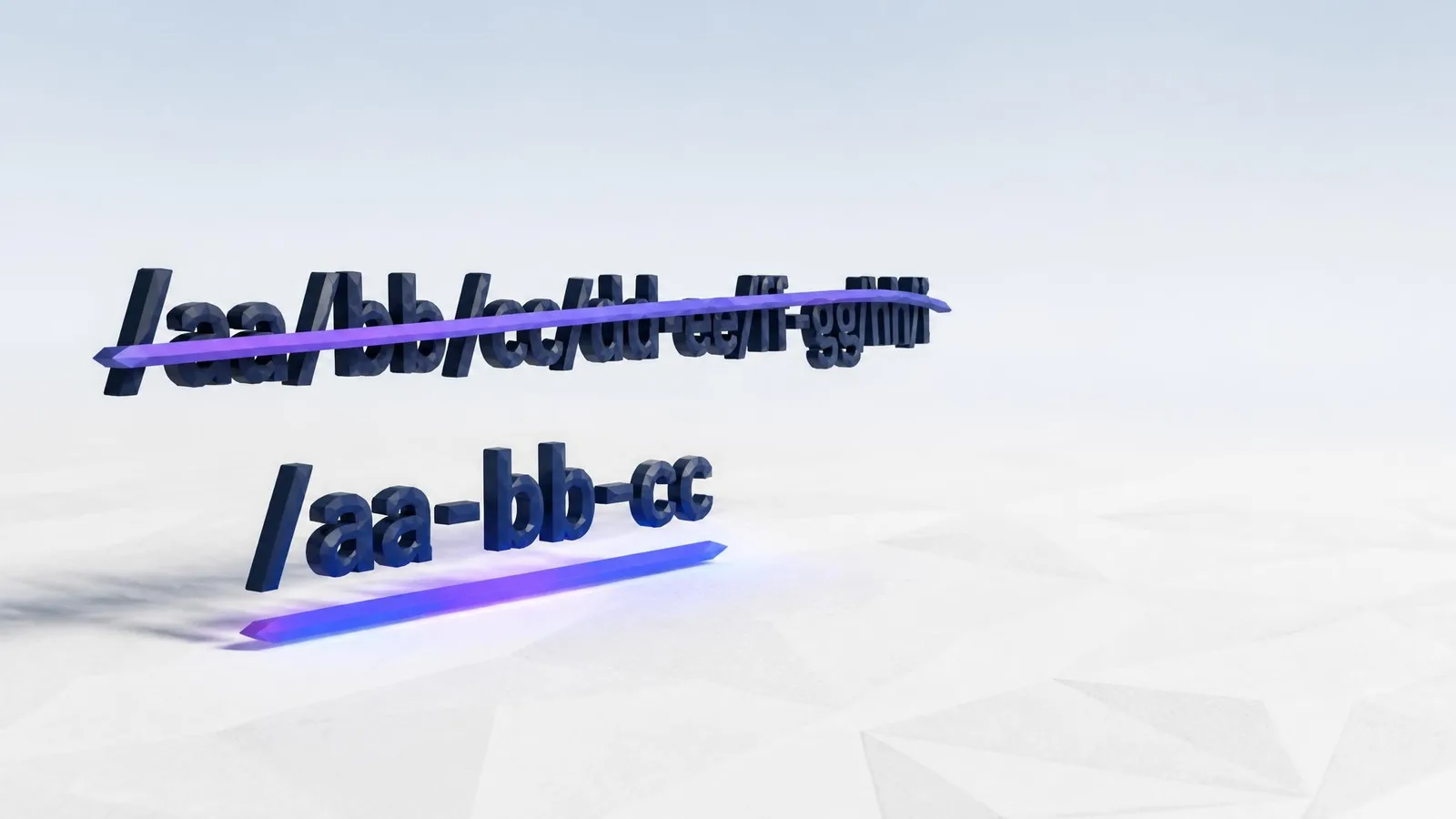
The URL slug is the part of the web address after your domain name (e.g., /blog/on-page-seo-checklist). This is the fastest fix on the list: under 2 minutes, no writing, no design, and no developer.
A clean slug is lowercase, hyphen-separated, includes the page’s primary keyword, and stays under 60 characters. Check your current slug: does it include random numbers, dates, or auto-generated strings? Does it include the keyword the page targets? If not, it’s worth updating. Most CMS platforms let you edit the slug in the same page settings panel as the title tag.
One important caveat. If you change a slug on a page that already has inbound links or search traffic, you need a redirect from the old URL to the new one before making the change. WordPress handles this automatically when you update a post slug. Webflow, Squarespace, and Wix handle redirects in site settings rather than in the page editor itself. If the page is new or has no traffic, change the slug freely.
A clean URL slug is a small detail with a real compounding effect on organic growth over time. It’s one of the easiest ways to improve your page’s SEO.
Do These Yourself First, Then Decide What to Hire For
These are fixes you can make without hiring writers or agencies. The 7 items in this article are typically the first things on an agency’s to-do list at the start of a retainer, not because they’re complex, but because clients haven’t done them yet. Doing them yourself first means the specialist time gets spent on work that genuinely requires a specialist: link building, technical audits, and competitive research.
Not sure whether you’re dealing with a SEO problem vs a content problem? That distinction matters before you decide what to hand off. SEO agencies are the right purchase for that kind of ongoing strategic work. If you’re curious about what that scope looks like and what SEO agencies typically charge, I’ve broken it down separately.
Frequently Asked Questions
Can I do SEO myself without a developer?
Yes. The fixes covered in this article, title tags, meta descriptions, H1 and heading structure, alt text, internal links, a direct-answer paragraph, and URL slugs, are all editable in a standard CMS editor. No code and no specialist required. WordPress needs an SEO plugin for 2 of the 7, which the CMS question below covers.
How long does on-page SEO take to show results?
It varies. Title tag and meta description changes can influence click-through rates relatively quickly once Google re-crawls the page, often within a few weeks. Heading structure and internal link improvements contribute to rankings over a longer window as search engines re-index the updated page.
Will these fixes work in my CMS?
Most of them, yes. Webflow, Squarespace, and Wix expose title tag, meta description, heading selector, alt text, and slug fields natively in page settings. WordPress is the exception: without a plugin like Yoast or Rank Math, the title tag defaults to the post title and there’s no native meta description field. If your WordPress site already runs one of those plugins, all the fields are there. If not, the other 5 fixes still apply without any plugin.
Do these fixes help with AI answers, not just Google?
Yes. Clean heading structure, a direct-answer paragraph at the top of the page, and descriptive internal link anchor text all improve the chance that AI search tools like ChatGPT, Perplexity, and Google AI Overviews cite your page in their responses. These fixes help you show up in Google and AI answers at the same time.
What is the quickest fix on this list?
Cleaning up the URL slug or adding alt text to images typically takes under 2 minutes per page. The title tag rewrite takes around 3 minutes. Start with whichever feels most obviously broken on the page you’re working on.
Conclusion
These 7 quick SEO fixes aren’t a complete SEO strategy. They’re the foundation. Getting them right on your existing pages is the fastest way to improve your Search and AI visibility without starting from scratch, and knowing how to optimise a web page for SEO starts right here, inside the editor you already have open.
cpywrk
Every article here was made by cpywrk itself: researched, drafted, and run through the same quality and GEO checks the product applies to customer content, then read and approved by a person before it publishes. The blog is the proof.
Related reading
When to Use AI for Content: 7 Jobs to Delegate, 3 to Keep
Discover which content tasks AI handles reliably and which three you must keep yourself, based on where AI is confidently wrong about real-world facts.
7 min read
8 Ways to Keep Your Brand Voice in AI Copywriting
AI drafts default to generic. Here are 8 interventions, from prompt setup to post-draft editing, that keep your brand voice in AI copywriting intact.
6 min read
6 Checks to Run Before Publishing Anything a Machine Drafted
Run these 6 checks before publishing AI content to catch hallucinations, brand voice drift, broken links, and the errors fluency alone won't reveal.
7 min read