Why Your Blog Posts Aren't Ranking: 6 Free Checks
Publishing regularly and still getting zero traffic? Here are 6 reasons why your blog isn't ranking, checked in order, using only free tools.
- seo
- geo

There’s a scene in Rocky I where Rocky Balboa is running through the streets of Philadelphia at dawn. Nobody’s watching. No cameras, no crowd, no Apollo Creed across the ring. Just a guy in grey sweats, grinding out miles in the dark, doing the work because someone told him that’s what it takes. He does it the next day. And the next. The famous training montage only works because the audience understands what it feels like to put in relentless effort and hear absolutely nothing back. No applause, no scoreboard, no sign that any of it matters.
That feeling is familiar if you’ve been publishing blog posts every week and getting zero traffic. The content is going out. The calendar is full. And Google is giving you the Rocky-at-5am treatment: total silence.
Publishing consistently is necessary, but it isn’t sufficient. If you’re wondering why your blog isn’t ranking, the problem usually isn’t effort or writing quality. It’s one of 6 diagnosable causes, and most of them have nothing to do with how good your posts are.
The 6 most common reasons blog posts don’t rank are: the post isn’t indexed, the content format doesn’t match what the searcher wants, the post doesn’t add anything the top results haven’t already said, two of your own posts are competing against each other for the same keyword, the page is too slow, or the content isn’t structured for AI search answers. Every one of these is checkable for free, and the list below is ordered so you start with the fastest check first.
Reason 1: Your Post Isn’t Indexed Yet
A page that isn’t indexed cannot rank for anything. This is the first check because it takes under 2 minutes, costs nothing, and it’s the cause most publishers skip entirely. The assumption is understandable: you submitted your sitemap, so everything must be indexed. That’s not how it works.
Submitting a sitemap requests crawling. Google indexes at its own discretion based on quality signals and internal link equity. A URL can sit in the “discovered but not indexed” queue indefinitely without any error message showing up in your WordPress dashboard.
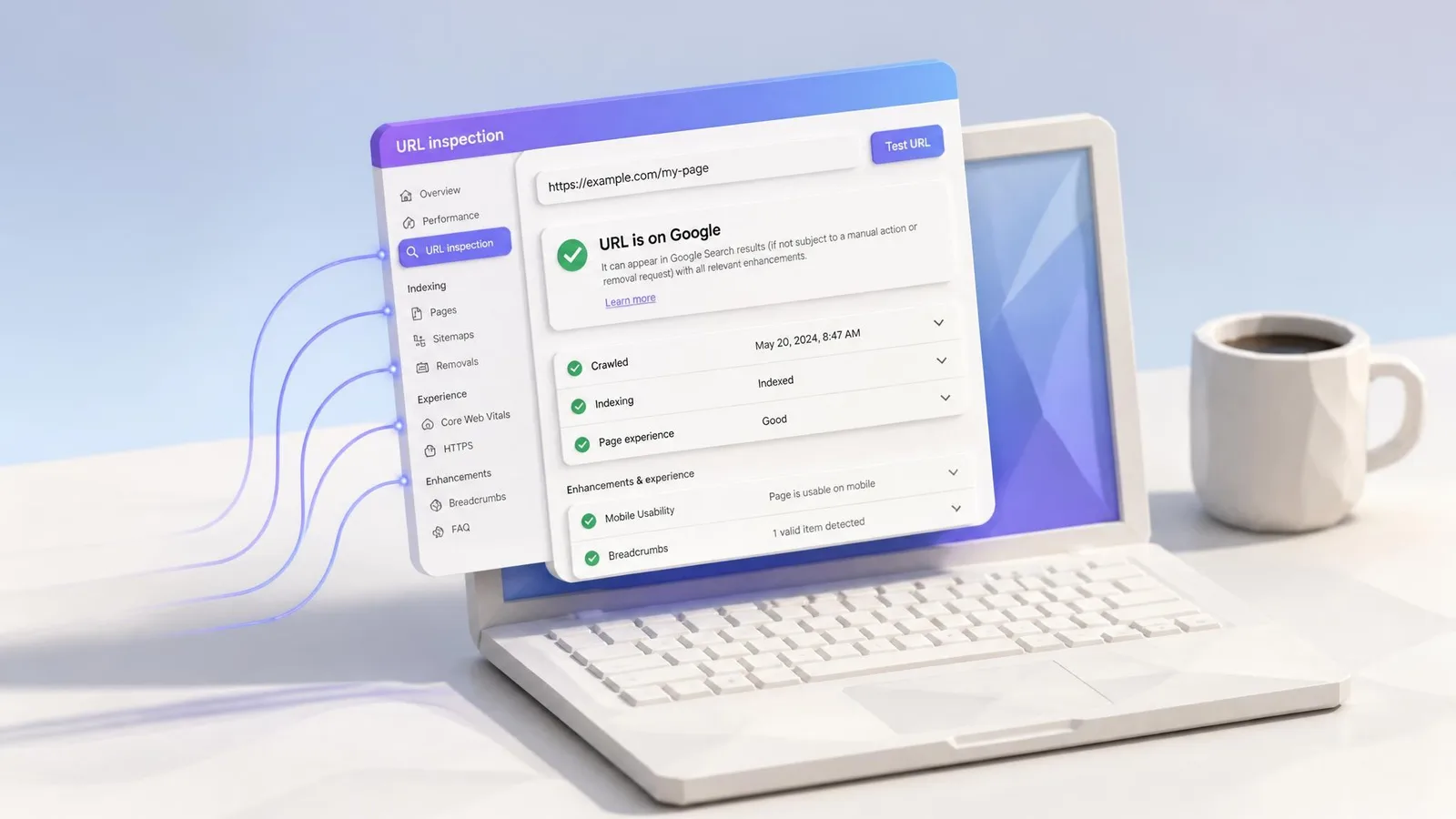
Here’s how to check. Open Google Search Console, paste the full URL of the blog post into the URL Inspection tool, and read the result. If it says “URL is not on Google,” that’s your answer. You don’t need expensive SEO tools for this. Search Console is free.
One of the most common causes of silent indexing failure is a noindex tag applied at the category level inside a WordPress SEO plugin like Yoast or Rank Math. A single toggle in your plugin settings can block an entire category of posts from being indexed, and there’s no visible warning in the post editor. Check your plugin’s search appearance settings for every category and post type.
As a backup check, type site:yourdomain.com followed by your post title into Google. Use a site: search as a quick cross-check, but confirm the page’s indexing status with Google Search Console’s URL Inspection tool.
Reason 2: Your Content Doesn’t Match What the Searcher Actually Wants
Search intent, meaning what Google thinks the person searching actually wants to do, is the structural reason a well-optimised post can fail completely. If Google classifies a query as transactional and your page is a blog post, product pages will outcompete you regardless of how well-written your content is. This isn’t a writing quality problem. It’s a format problem.
The free check takes 2 minutes. Open an incognito browser tab, search for the keyword your post is targeting, and look at the top 5 results. Are they listicles, product pages, how-to guides, or interactive tools? If your post is a fundamentally different format from everything on page 1, that’s the signal. A consistent pattern among the top results indicates the format Google currently considers most relevant to the query. Your post is playing a different sport.
The fix isn’t more keywords. It’s a content format change. Either restructure the post to match the format Google is rewarding for that query, or retarget it to a long-tail variant where blog posts are actually competing. A comparison-style post targeting “best [product] for [use case]” lives in a different intent category than a thought-leadership essay on the same topic.
Once the format is right, the next question is whether the traffic it brings is actually working for you. I’ve written more about measuring engagement quality over traffic numbers if that’s the stage you’re at.
Reason 3: The Content Doesn’t Give Google Enough to Work With
Google’s core ranking system evaluates whether content demonstrates genuine first-hand expertise and satisfies the searcher’s actual goal. A post that restates what every other post says, without adding original perspective, a specific example, or a more precise answer, gets treated as undifferentiated content. “Thin content” in plain English means your post isn’t saying anything the top results haven’t already covered.
The free check is honest comparison. Search for your target keyword, read the top 3 results, and compare them against your post. If your post covers the same points in roughly the same depth, with no additional angle or insight, it’s not differentiated enough to outrank pages that arrived first with the same information.
The question isn’t “is this post correct?” It’s “does this post say something the top results don’t?” That might be a personal observation from running the process yourself. It might be a more detailed step that competitors glossed over. It might be a more specific answer to a narrower version of the question.
Consistent publishers are especially vulnerable here. Volume creates a rhythm that can override the editorial question: does this new post add something my site hasn’t already covered better? Practical content that ranks tends to be more specific, not longer.

Reason 4: Two of Your Own Posts Are Competing Against Each Other
If you’ve been publishing regularly for 6 months or more, this one is worth checking. Keyword cannibalisation happens when 2 or more pages on your site target the same keyword or a closely overlapping one. Overlapping pages can dilute relevance, create unstable rankings, or cause Google to surface the less appropriate URL. The frustration of “I’ve been publishing every week and nothing is happening” sometimes traces directly back to this: your consistency is producing posts that compete against each other instead of building on each other.
The check takes less than a minute. Go to Google and type site:yourdomain.com “your target keyword” with the keyword in quotes. If 2 or more of your own posts appear in the results, you have a cannibalisation problem.
The fix is consolidation, not deletion. Identify which post is stronger: the one with more depth, better structure, or more inbound links. Merge the weaker post’s unique content into the stronger one, then set up a redirect (a redirect tells Google to send all traffic and authority from the old URL to the new one) from the weaker URL to the stronger one.
Here’s the irony specific to consistent publishers. A post on “content marketing tips” published in January and another on “B2B content marketing tips” published in April might look different as titles. But if they’re targeting the same query, they’re splitting your site’s authority instead of compounding it. Publishing more can actively suppress your rankings if it creates topic overlap you haven’t audited.
Reason 5: Your Page Is Too Slow to Compete
Page speed is a confirmed Google ranking signal on both desktop and mobile. Core Web Vitals, the set of metrics Google uses to measure real-world loading performance, directly influence where your page sits relative to a competitor page with equivalent content. A slow page doesn’t automatically drop to page 10, but when two pages are otherwise comparable, the faster one wins.
The check is free. Go to pagespeed.web.dev, paste your URL, and run the test. The metric to focus on is Largest Contentful Paint (LCP), which measures how long it takes for the main content of the page to become visible. An LCP score above 2.5 seconds puts you in the “needs improvement” range, and that’s the threshold where speed starts working against you in rankings.
The tool returns specific, actionable recommendations: unoptimised images, render-blocking scripts, slow server response. These aren’t vague warnings. Each one can be addressed.
Founders often dismiss this as a “developer problem,” but in practice, image compression and lazy loading can be handled through free WordPress plugins in under an hour. Fix the other causes first, because speed is a tiebreaker rather than the primary lever. But if everything else checks out and the post still isn’t ranking, this is the place to look.
Reason 6: Your Content Isn’t Structured for AI Answers
This is the cause no one else is talking about. A page can rank on page 1 of Google and still be completely invisible in AI-generated answers from Perplexity, ChatGPT, and Google’s AI Overviews. These systems use different selection criteria than traditional search rankings, and they represent a growing share of how people find information. If your analytics show declining traffic even though your rankings haven’t moved, this might be why.
AI search engines prioritise pages that provide a direct, clearly structured answer near the top of the content. If your post buries the main point after 3 paragraphs of setup, AI systems are less likely to extract and cite it. The structure of the answer matters as much as the answer itself.
The free check: search for your target keyword in Perplexity or in ChatGPT with Browse enabled. If a competitor’s post appears as a cited source and yours doesn’t, the issue is content structure. Making your content AI-ready means adding a direct answer block near the top of the post (a 40–60 word paragraph that answers the core question), using a clear heading hierarchy, and making each section self-contained enough that an AI system can extract it without needing the sections around it for context.
The goal is search and AI visibility together. Ranking in Google is the baseline. Showing up in AI answers is the layer that’s growing fastest. If you want to go deeper on this, I’ve covered the full picture of how to show up in AI answers, not just Google.

Frequently Asked Questions
Why does my blog rank on Google but not in AI answers?
Traditional Google rankings and AI answer citations use different selection criteria. AI systems prioritise direct, structured answers near the top of the content. A post can sit in position 5 on Google and still be invisible in Perplexity or ChatGPT if it doesn’t open with a clear, extractable answer. Structuring your content for both systems is a separate step from keyword optimisation.
How long does it take for a blog post to rank?
There’s no universal timeline. For a new domain or a post with no inbound links, 6 to 12 months is a realistic window for competitive keywords. For long-tail queries with low competition, 4 to 8 weeks is more common. The honest answer: it depends on competition, domain authority, and whether the post matches search intent. If the post hasn’t ranked after 3 months for a low-competition keyword, run through the 6 checks in this article before waiting longer.
Is there a free way to check what’s stopping my blog from ranking?
Yes. Google Search Console covers indexing and crawl errors. An incognito Google search reveals intent mismatch. The site: operator flags cannibalisation. PageSpeed Insights diagnoses speed problems. Between these 4 free tools, you can diagnose 5 of the 6 causes in this article without spending anything.
Do I need backlinks to rank a blog post?
Not always. A focused, specific long-tail post on a newer site can outrank a generic post on a high-authority site if it precisely matches intent and demonstrates genuine expertise. Backlinks help, but they’re a slow, expensive fix. Check the SEO agency pricing realities before committing to that route. Check the 6 causes in this article first. Most of them are faster to resolve and cost nothing.
Can publishing more frequently fix a ranking problem?
Publishing more can make things worse if new posts compete against existing ones for the same keywords. Volume without intent alignment produces cannibalisation, not authority. Fix the 6 causes first, then scale what’s actually working.
The Diagnostic Order Matters: Start with the Cheapest Check
If your blog posts aren’t getting traffic, work through these in order. Each check is free, and they’re sequenced so you start with the fastest diagnosis first:
- Indexing: Paste the URL into Google Search Console’s URL Inspection tool. Takes 2 minutes.
- Search intent: Search your target keyword in an incognito tab and compare the top 5 result formats to yours. Takes 2 minutes.
- Content depth: Read the top 3 results for your keyword and honestly assess whether your post adds something they don’t. Takes 10 minutes.
- Cannibalisation: Type site:yourdomain.com “your keyword” into Google and check whether multiple pages from your site appear. Takes 1 minute.
- Page speed: Run your URL through pagespeed.web.dev and check whether LCP is above 2.5 seconds. Takes 2 minutes.
- AI search structure: Search your keyword in Perplexity or ChatGPT Browse and see whether your post is cited. Takes 2 minutes.
Most of these take under 5 minutes each. The most common reason a consistently-published blog isn’t ranking is one of these 6 things, and you can diagnose most of them in a single sitting.

Audit an Article Free and See How AI Search Reads It
You’ve checked the first 5 causes yourself. The sixth, whether your content is structured for AI search visibility, is harder to self-diagnose. Audit an article free and see how AI search reads it with the cpywrk article audit. You’ll get a clear picture of how AI systems interpret your content, what they can extract, and what’s invisible to them, so you can start building organic growth from both Google and AI answers without needing a content team to figure it out.
cpywrk
Every article here was made by cpywrk itself: researched, drafted, and run through the same quality and GEO checks the product applies to customer content, then read and approved by a person before it publishes. The blog is the proof.
Related reading
GEO vs SEO: What B2B Marketers Actually Need to Know
GEO vs SEO explained for B2B marketers. Learn the real difference, why both matter for AI search visibility, and which to prioritise first.
11 min read
7 Ways to Show Up in AI Answers, Not Just Google
Want to show up in ChatGPT, Perplexity, and Google AI Overviews? Here are 7 practical tactics to improve your AI search visibility, without starting from scratch.
11 min read
SEO Agency Pricing: Why Nobody Gives You a Straight Number
SEO agency pricing varies by an order of magnitude, and the most-quoted average doesn't survive a read of its own method. What actually drives the cost, and what to ask.
12 min read