9 Essential Pages Every Small Business Website Needs (and What Each Must Do)
Most small business sites are missing pages buyers check before contacting you. Here are the 9 essential pages your site needs and what each one must contain.
- content
- strategy

I once tried to hire a local joinery company I’d found through a friend’s recommendation. Its website looked polished: a good logo, a hero image of beautiful cabinetry, and the headline “Quality Craftsmanship Since 2003.”
I was sold on the vibe. Then I tried to find out what the company charged, whether it had completed work like mine, and how to get in touch without filling out a nine-field form asking for my budget, timeline, and postcode.
There was no pricing guidance, no case studies, no FAQ, and an About page consisting of one paragraph about a “passion for woodworking.” I left and hired someone else within ten minutes.
That website had the bones. It didn’t have the rooms.
And if you’re not showing up in Google or AI answers, your site may have the same structural gaps: information buyers expect to find but can’t.
For most small businesses, nine page types cover the essentials: Homepage, About, Services or Products, Pricing, Contact, Testimonials or Case Studies, FAQ, Blog or Resources, and Legal/Privacy. They do not always need nine separate URLs, and you can combine related content when that creates a better experience, but every job needs to be covered somewhere clearly.
Many websites stop after the familiar five. The remaining pages answer buying questions, handle objections, demonstrate expertise, and establish trust. They also give search and AI systems more useful, crawlable information with which to understand the business.
By the end of this article, you’ll know which page types your website is missing and what each one needs to help turn a visitor into a buyer.
Why the Standard Five-Page Website Is No Longer Enough
The familiar small-business website structure is Home, About, Services, Contact, and Testimonials.
A 2018 U.S. Small Business Administration article called those five pages essential. It also recommended adding FAQs, a blog, and a privacy policy over time. That was a useful starting point, but buyer expectations have continued to develop, and the SBA list still did not include one of the pages decision-stage buyers look for most often: pricing.
Before contacting a company, buyers may want to know:
- Is this service intended for someone like me?
- What will it roughly cost?
- Has this company solved a similar problem?
- What happens after I enquire?
- What are the risks, limitations, or commitments?
- How will my information be used?
When a website does not answer those questions, the visitor has to choose between contacting the company without enough information or finding a competitor that explains things more clearly.
Search and AI systems pull on the same thread: accessible, focused pages make it easier to understand what a business offers and which questions its content answers. They do not guarantee rankings or AI citations, but vague copy and missing information leave less useful material to discover.
The goal is not to reach an arbitrary page count. It is to make sure every important buyer question has a clear destination.
The 9 Pages Your Website Needs, and What Each Must Do
1. Homepage
Job: Tell visitors where they are, whether the business is relevant to them, and what to do next.
Include:
- A clear headline stating who you help and what outcome you provide
- A short explanation of your main offer
- One primary call to action
- A secondary call to action only when it serves a genuinely different intent
- Relevant trust signals, such as client logos, credentials, review scores, or a specific result
- Clear navigation to the pages a buyer is most likely to need
Common mistake: Trying to sell every service to every audience at once.
A homepage is primarily a signpost. It should help visitors recognise that they are in the right place and direct them towards the information they need next.
2. About Page
Job: Help buyers trust the people and experience behind the business.
Include:
- A clear explanation of why the business exists
- The names and real photographs of founders or key team members
- Relevant credentials, experience, or first-hand expertise
- The principles that shape how you work
- A call to action leading to Services, Pricing, or Contact
Common mistake: Publishing a corporate timeline that says when the company was founded but gives the buyer no reason to trust it.
The central question is not “What is our complete history?” It is “Why should someone trust us to do this work?” You can see how we approach that on the about cpywrk page.

3. Services or Products Page
Job: Explain what you sell, who it is for, and why it matters.
Include:
- A clear description of the intended customer
- The problem the service or product solves
- The outcome the buyer can expect
- Specific deliverables, features, or inclusions
- The process, where that affects the buying decision
- Important exclusions or limitations
- A visible route to pricing or the next step
- Relevant social proof beside the offer
Common mistake: Listing features without explaining why they matter.
A buyer should leave this page understanding not only what you do, but what changes for them after they buy.
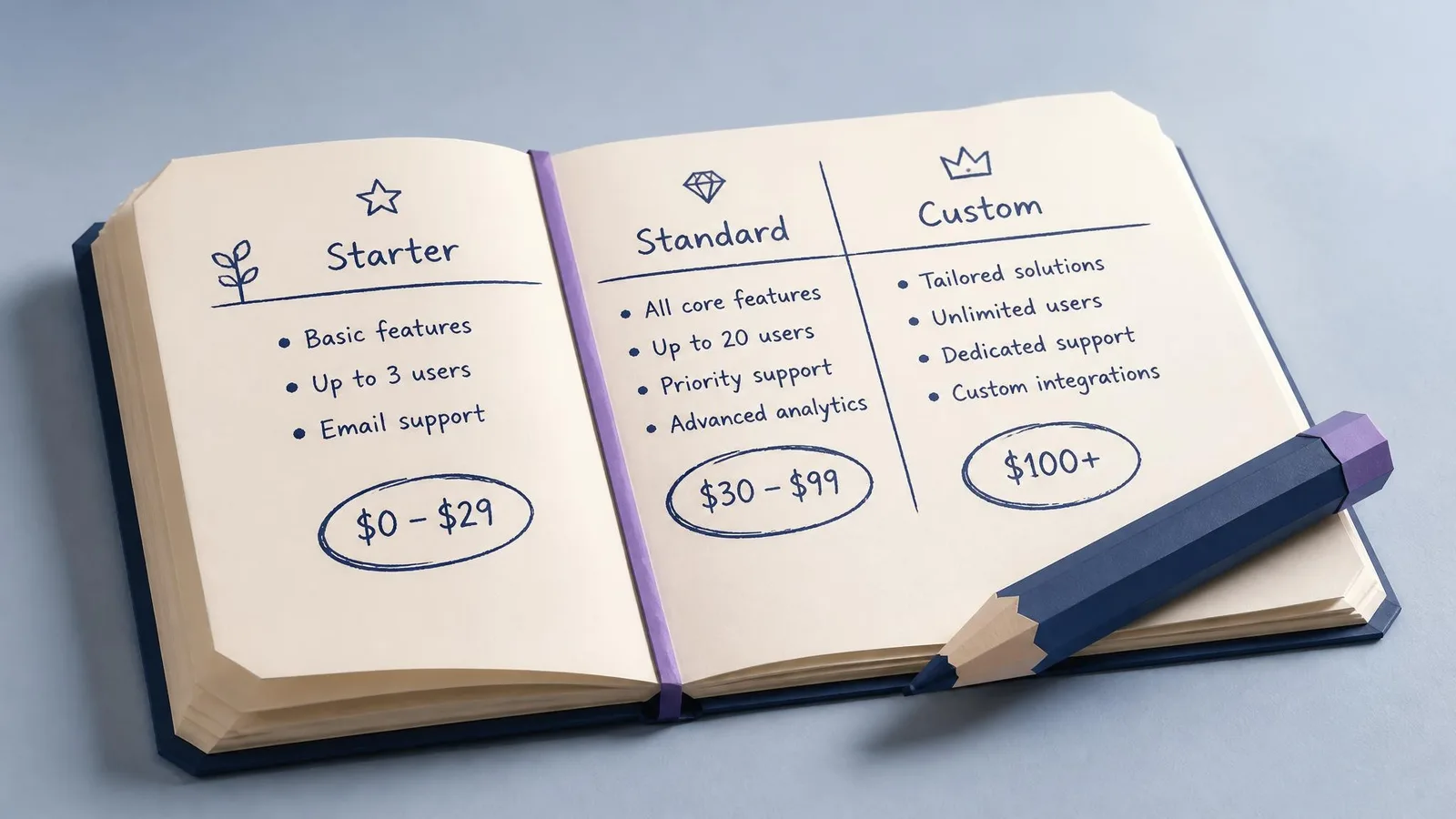
4. Pricing Page
Complete pricing is not possible for every business. Complete silence, however, creates unnecessary friction.
If every project is different, you can still publish starting prices, typical ranges, minimum engagement levels, example packages, or an explanation of the factors that affect the final quote.
Job: Give buyers enough financial context to decide whether the next step makes sense.
Include:
- Clear packages, ranges, or starting prices
- What is included at each level
- The factors that can increase or reduce the price
- Payment terms or minimum commitments where relevant
- A way to ask a short pricing question
- A clear call to action for each buying path
Common mistake: Replacing the entire page with “Contact us for a quote.”
That is not useful pricing information. It asks the buyer to start a sales conversation before they know whether the service is remotely within budget.
5. Contact Page
Job: Make starting a conversation simple and predictable.
Include:
- A short form asking only for information you will actually use
- A visible email address
- A phone number if calls are part of your process
- Opening hours, service area, or location where relevant
- An expected response time
- A confirmation message explaining what happens next
Common mistake: Turning the first enquiry into an application form.
Every required field introduces work. Ask for budget, company size, detailed project scope, or deadlines only when you genuinely need that information before responding.
6. Testimonials or Case Studies Page
Job: Show buyers credible evidence that you can deliver what you promise.
A few testimonials on the homepage can establish quick trust, but a dedicated proof page gives high-intent buyers somewhere to examine the evidence in more detail.
Include:
- Specific testimonials with a name, role, company, or relevant context
- The problem the customer needed to solve
- The work you completed
- A concrete result or outcome where one can be substantiated
- At least one longer case study for complex or high-value services
- Photographs, screenshots, or logos when you have permission to use them
Common mistake: Publishing generic praise such as “Great service!” without explaining what was delivered or why it mattered.
Never invent precision. A modest, verifiable result is more persuasive than an impressive number nobody can substantiate.
7. FAQ Page
Job: Answer recurring questions and resolve objections before they stop an enquiry.
Include:
- Five to ten questions real buyers ask
- Clear questions written in the buyer’s language
- Direct answers, usually within two to four sentences
- Links to deeper information where a short answer is not enough
- Questions about price, process, fit, timing, risk, and support, not just questions about the company
Use visible, accessible HTML text, whether the answers appear directly on the page or inside an accordion. Accurate structured data may help supported search systems understand the content, but FAQ schema does not guarantee a rich result or inclusion in an AI answer.
Common mistake: Filling the page with promotional questions such as “Why are we the best?” that no real customer asks.
A useful FAQ page sounds like a sales conversation, not a company brochure.

8. Blog or Resources Page
Job: Answer pre-sale questions, demonstrate useful expertise, and build discoverability around topics your buyers care about.
A resources section can help a small business build organic visibility around questions buyers are already asking. The value comes from the usefulness, originality, and relevance of the content, not from having a /blog URL or hitting an arbitrary publishing quota.
Include:
- Articles based on genuine customer questions
- First-hand experience, original examples, or evidence where possible
- Clear categories or topic hubs
- Internal links to relevant services, products, and supporting resources
- Accurate publication and update dates
- A realistic process for reviewing older content
Publish as often as you can maintain a worthwhile standard. One strong article every quarter can be more valuable than four generic posts every month.
Common mistake: Treating publication volume as the goal.
An old article is not automatically harmful, but visibly outdated prices, regulations, product details, or advice can weaken trust. Update, consolidate, redirect, or archive material when it no longer helps the reader.
If you want to maintain a publishing process without carrying all the research and production overhead, see how cpywrk works.
9. Legal, Privacy, and Cookie Pages
Job: Explain how the business operates and how visitor or customer information is handled.
The exact requirements depend on where the business operates, whom it serves, what data it collects, which cookies or tracking tools it uses, and whether specific regulations apply. A privacy policy is commonly necessary when personal information is collected. A cookie notice or consent mechanism may be required for certain non-essential cookies. Terms of service may be advisable for contractual clarity even when they are not legally mandatory.
Depending on the business, include:
- A privacy policy explaining what data is collected, why, with whom it is shared, and how long it is retained
- A cookie policy and appropriate consent controls
- Terms of service, sale, or use
- Refund, cancellation, delivery, or subscription terms where relevant
- Instructions for exercising applicable privacy rights
- A date showing when the documents were last reviewed
Common mistake: Copying a generic policy that does not match the website’s actual forms, analytics, advertising tools, payment providers, or data practices.
Review these pages when your tools or business model change, and periodically thereafter. Because legal requirements vary, obtain advice appropriate to your jurisdiction rather than treating a generic template as legal assurance.
Run a 10-Minute Audit on Your Website
Open your website in another tab and work through this table. Mark each page Pass, Needs work, or Missing.
| Page | It passes if | First fix if it does not |
|---|---|---|
| Homepage | A new visitor can identify the audience, offer, and next step within seconds. | Rewrite the headline and choose one primary CTA. |
| About | It names the people involved and provides relevant reasons to trust them. | Add a real person, a photograph, and evidence of experience. |
| Services or Products | It explains the buyer, problem, outcome, inclusions, and next step. | Replace feature-only copy with buyer outcomes and specifics. |
| Pricing | It provides prices, ranges, starting points, or meaningful cost guidance. | Publish a minimum, a typical range, or your quote methodology. |
| Contact | Contact details are visible and the form asks only for necessary information. | Remove unnecessary required fields and state the response time. |
| Testimonials or Case Studies | The proof includes context and a credible outcome. | Expand one testimonial into a problem, work, and result example. |
| FAQ | It answers real questions about fit, price, process, timing, and risk. | Collect the five questions prospects ask most often. |
| Blog or Resources | The content answers real buyer questions and remains accurate. | Update the most commercially relevant outdated article. |
| Legal and Privacy | The policies match the business’s real data and commercial practices. | Inventory your forms, cookies, analytics, and third-party tools. |
This audit reveals two kinds of problem: pages that do not exist and pages that exist but fail to do their job.
Start with the gap closest to a buying decision. For many service businesses, that will be Pricing, Services, Proof, or Contact. For businesses relying heavily on organic discovery, Resources and FAQ may deserve earlier attention.
Frequently Asked Questions
Does a small business really need a blog?
Not necessarily a conventional blog, but businesses that want organic discovery benefit from a place to publish useful resources. That could be a blog, knowledge base, guides section, project library, or advice hub. The important part is answering real customer questions with accurate, worthwhile content.
What should a services page include?
Explain who the service is for, the problem it solves, the expected outcome, what is included, and what the buyer should do next. Add pricing guidance or a clear path to it, plus relevant proof close to the offer.
Do I need a pricing page if my prices vary?
You may not be able to publish an exact figure, but most buyers still need meaningful cost context. Give a starting price, typical range, minimum engagement, sample project, or explanation of how the quote is calculated.
Do all nine page types need separate URLs?
No. A small website might combine testimonials with case studies, include FAQs on service pages, or place legal documents under one hub. The information should be easy to find and substantial enough to do its job; the URL count is secondary.
How do I know whether my website is missing important pages?
Check whether your site clearly covers these nine jobs: orientation, trust, offer explanation, pricing context, contact, proof, objection handling, useful resources, and legal transparency. If visitors must contact you to obtain basic information, that is usually the first gap to fix.
Build the Website Buyers Expect
The goal is not to collect nine pages for the sake of a checklist. It is to answer nine groups of questions buyers ask before they choose a business.
Your homepage orients them. Your About page establishes trust. Your Services page explains the offer. Pricing gives them context. Contact makes the next step easy. Testimonials and case studies provide proof. FAQs remove objections. Resources demonstrate useful expertise. Legal and privacy pages explain how the business handles its responsibilities.
You do not need to fix all nine this weekend. Identify the page closest to your biggest buying bottleneck, improve it, and then move to the next one.
Content matters, but time is short. The fastest first step is still the smallest useful one.
cpywrk
Every article here was made by cpywrk itself: researched, drafted, and run through the same quality and GEO checks the product applies to customer content, then read and approved by a person before it publishes. The blog is the proof.
Related reading
Audience Trust in AI Content: Your Competitive Edge
As AI content floods every channel, audience trust is becoming scarce. Learn how expertise and human perspective compound into real competitive advantage.
8 min read
Brand Voice Guidelines: How Small Teams Stay Consistent
How lean marketing teams of 1-3 define, document, and enforce brand voice guidelines as content volume grows, without editing every piece themselves.
12 min read
7 Ways to Show Up in AI Answers, Not Just Google
Want to show up in ChatGPT, Perplexity, and Google AI Overviews? Here are 7 practical tactics to improve your AI search visibility, without starting from scratch.
11 min read